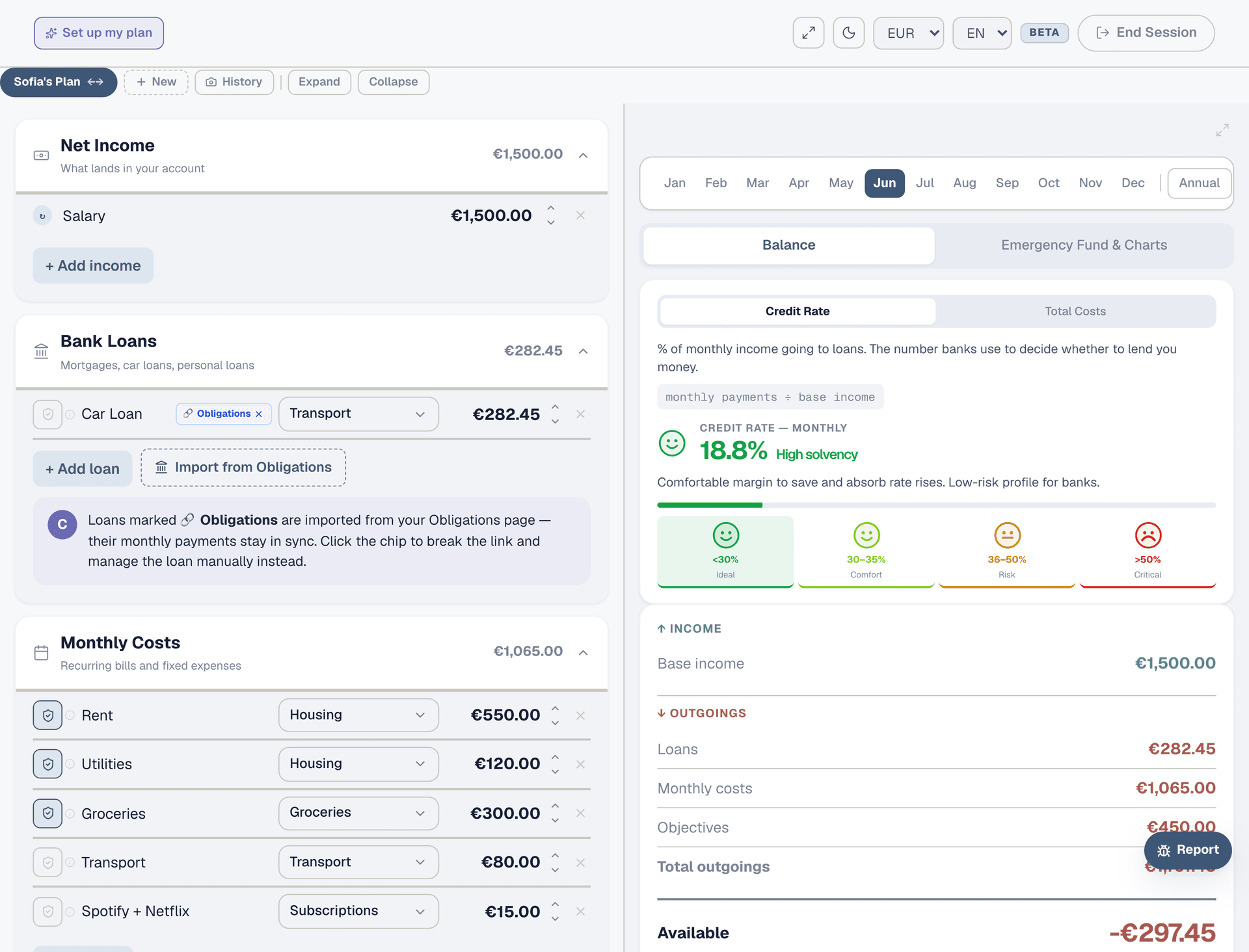
Where does my money even go?
Log one month of spending, compare it against your plan, and find the leaks.
Step 1: Open the Expenses page
Navigate to Expenses from the sidebar. Make sure the current month is selected in the month picker at the top. You'll see your income row and 12 expense categories below it — Housing, Groceries, Transport, Health, and so on. Each category is a bucket for your spending. The right panel shows your budget breakdown once you start logging.
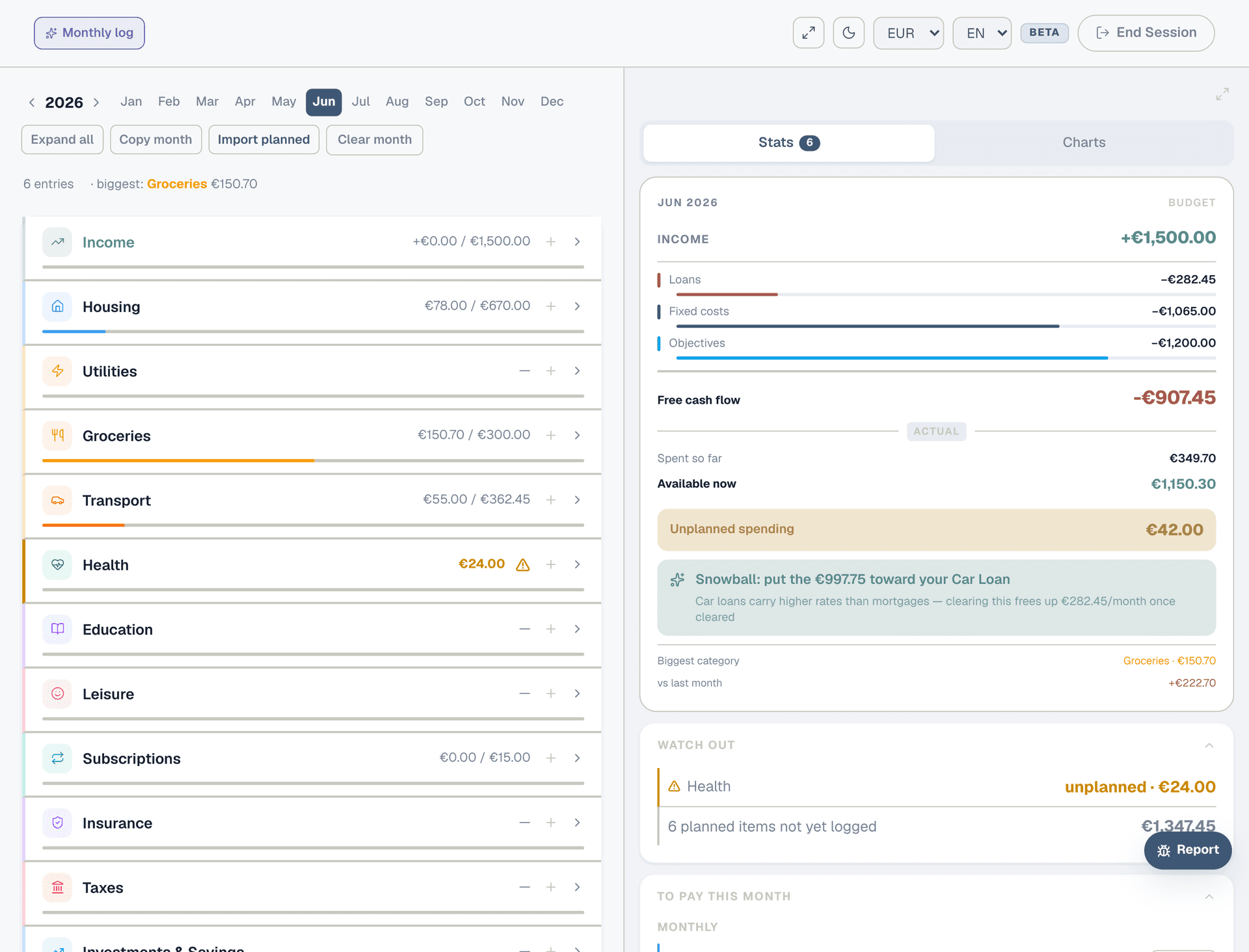
Step 2: Start with fixed costs
Click "Import planned" to log all your planned costs from the Planner in one click — rent, utilities, subscriptions, loan payments. These amounts don't change month to month, so importing them saves time. Uncheck anything that didn't happen at the planned amount (e.g. electricity was higher than expected) and log that manually with the real number.
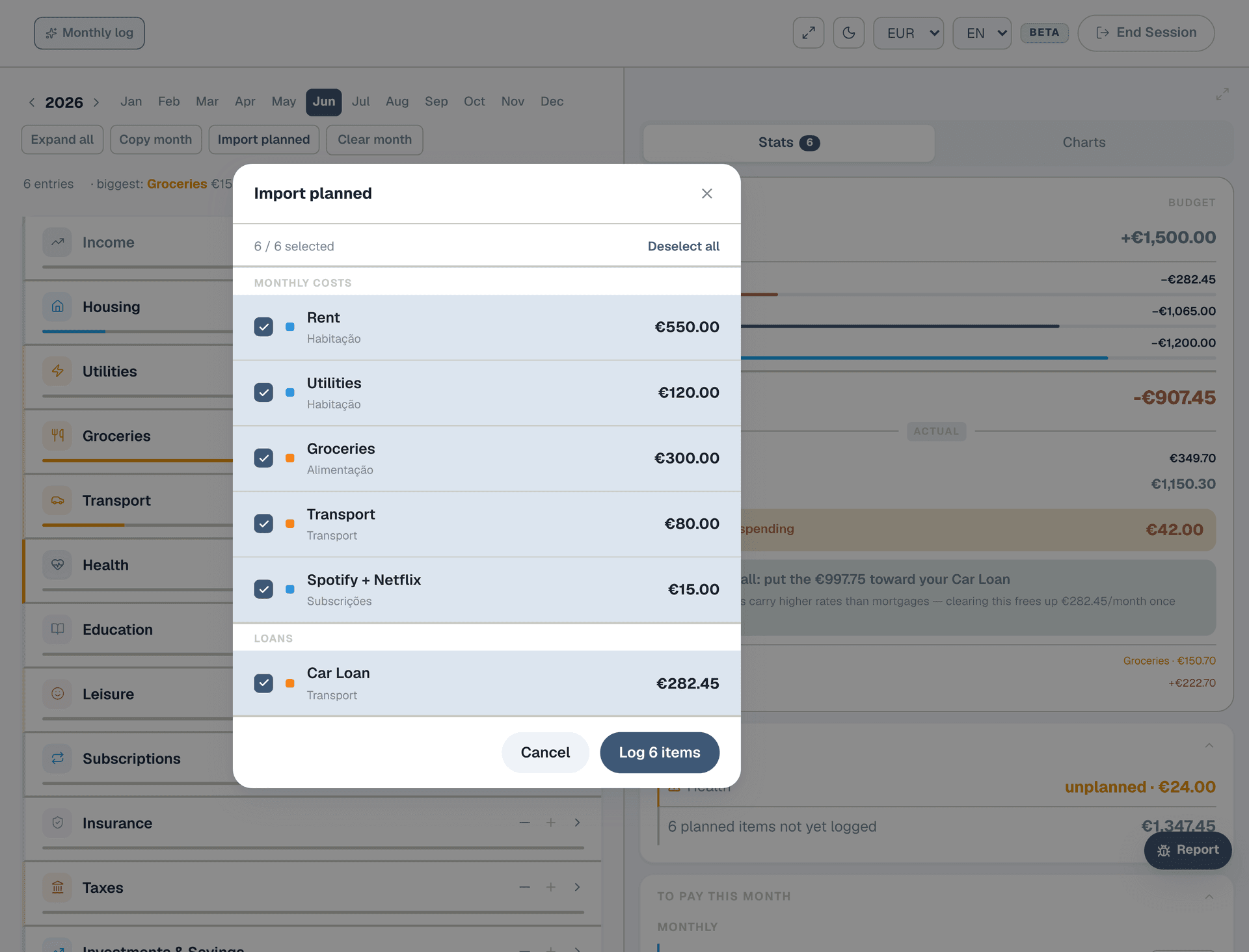
Step 3: Log your variable spending
For each category where spending varies — Groceries, Transport, Leisure — tap the "+" button and log individual expenses. Enter a description ("Supermarket", "Fuel", "Dinner out"), the amount, and the date. Go through your bank statement or receipts. The more honest you are, the more useful the comparison becomes.
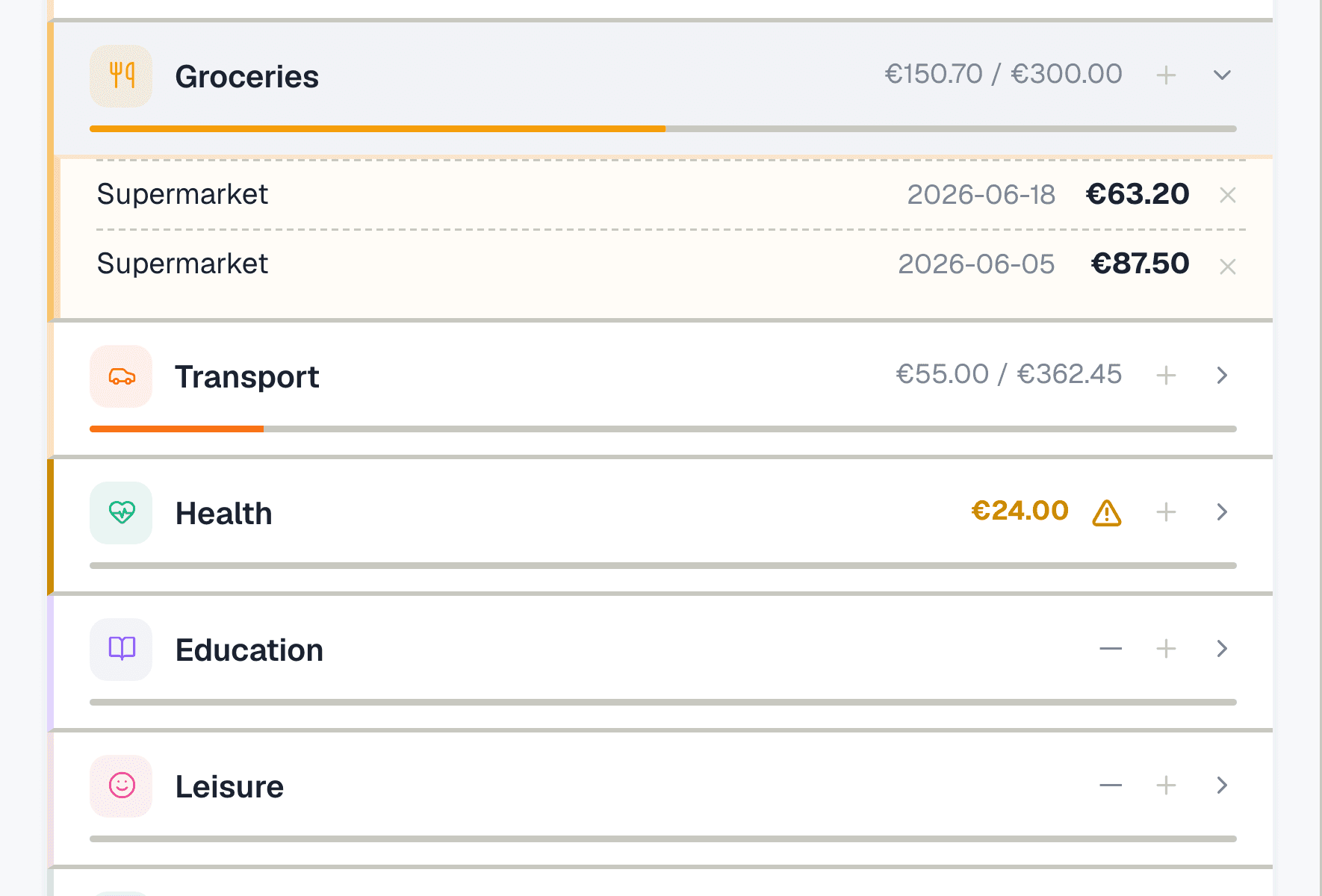
Step 4: Watch the progress bars
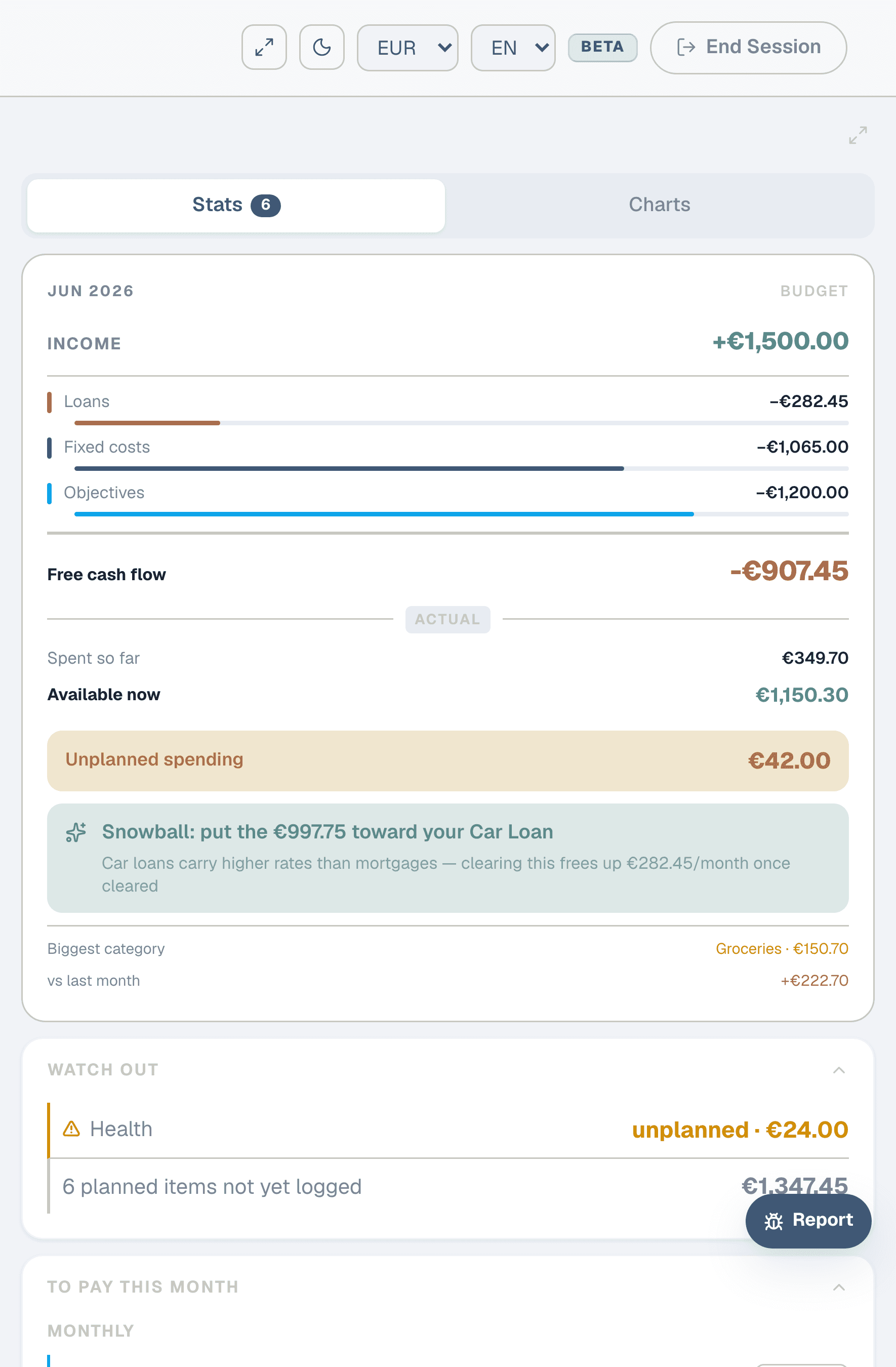
As you log, the right panel updates in real time. Each category shows a progress bar: how much you spent vs what you planned. Green means under budget, red means over. The "Spent so far" total and "Available now" number tell you exactly where you stand mid-month. If a category is already red and it's only the 15th, you know to slow down.
Step 5: Find the biggest surprise
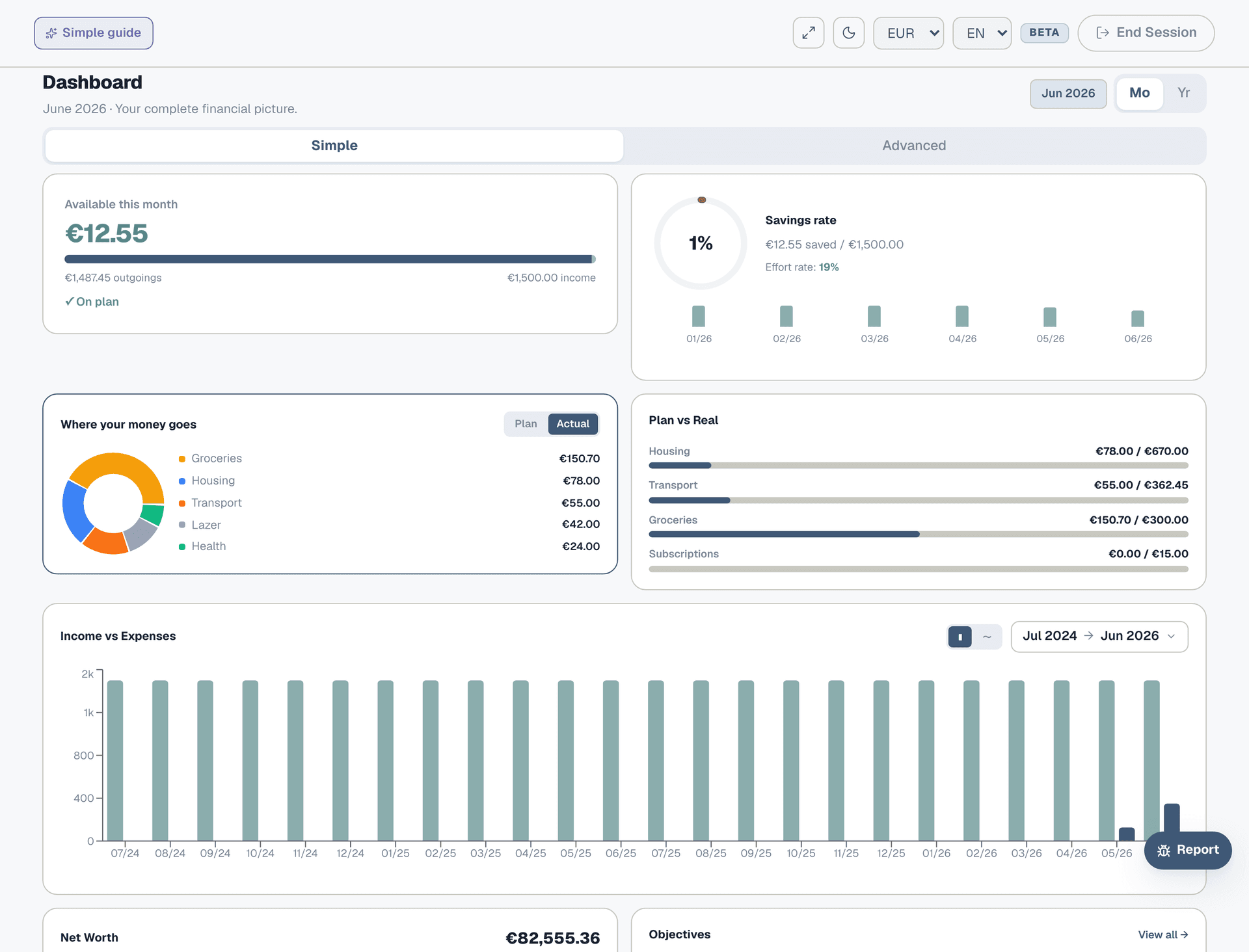
Go to the Dashboard and look at the "Where your money goes" donut chart. Toggle from Plan to Actual — the slices shift to show your real spending distribution. The biggest slice is your biggest expense. Is it where you expected? Most people are surprised by eating out, subscriptions, or "small" purchases that add up.
Step 6: Adjust your plan
If you consistently overspend in a category, update your Planner to match reality rather than fiction. A plan that says "Groceries: €200" when you always spend €350 isn't useful — it just makes the progress bar permanently red. Honest planning leads to honest budgeting.